
Wedding Player
for Wedding DJs
The ceremony, stress free
The ceremony is the one part of the day with no second take. Wedding Player runs it from your phone: every song trimmed, faded and cued in order, fully offline, in a locked Live Mode. Just your phone and a cable for the ceremony.

 Free to Try
 From £5.99 a month or £49.99 a year, with a free month to start.
The ceremony music app, set up before the day
Wedding Player plays the music for a wedding ceremony, from guests arriving to the walk back down the aisle, on iPhone, iPad and Android. Couples use it for their own wedding. Wedding DJs use it to run the ceremony music, then get set up for the reception.
Add the music
Wedding Player Originals, instrumental ceremony tracks included free, plus Apple Music (iOS) and your own MP3, M4A or WAV files. Mix any of them.
Shape each moment
Each part of the ceremony gets its own moment and music. Trim where each track starts and ends, set fades of 2 to 15 seconds, and loop a moment until you're ready to move on.
Run it on the day
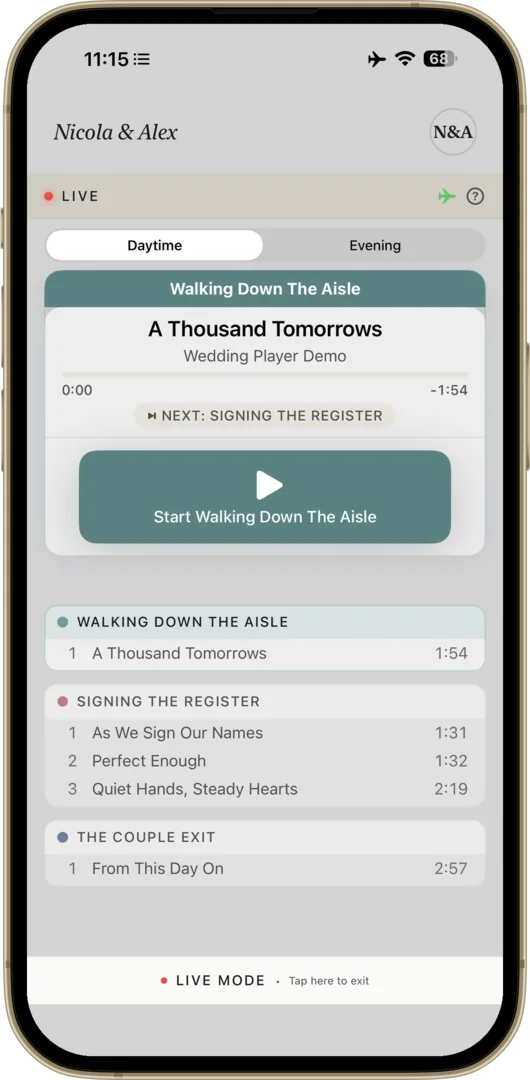
Live Mode hides the editing tools and runs the running order from one large button. Tracks play from the device once downloaded, with no WiFi needed.
What DJs are saying
Perfect App for Wedding DJs!
6 September 2026 · Apodaca72
“I’m really impressed with Wedding Player. It makes handling ceremony music so much easier and more convenient. I love that I can run everything right from my phone without having to bring a bunch of extra equipment. It’s simple to use, easy to set up, and gives me one less thing to worry about on a busy wedding day. For a DJ who wants a clean, convenient way to handle ceremony music, this app is a great tool. Highly recommend it! ⭐⭐⭐⭐⭐”
Deserves more recognition
3 October 2026 · PeterTheGreat277
“This app has made my job as a DJ a million times easier. Ceremonies are now totally stress free. These guys need way more recognition.”
Where the stress lives
The reception is your home turf. The ceremony is different: a separate spot, often outdoors, a running order you don't control, and cues that have to land on the exact moment the couple walk in. Hauling a second setup and cueing tracks by hand is where the stress lives. Wedding Player turns it into a planned, locked running order you press play on.
At the reception
Your rig and your software, on your home turf.
At the ceremony
Your phone, a cable and a locked running order. Press play.
Leave the laptop at the reception
Your phone
iPhone, iPad or Android. The whole ceremony on one device, ready to play offline once your tracks are downloaded.
Your speaker
Bluetooth, 3.5mm aux or USB into the PA or mixer you already use.
That's it
Press play in Live Mode, then get set up for cocktail hour.
Your music, three ways
- Your own MP3, M4A and WAV files
- Apple Music (iOS)
- Wedding Player Originals, 75 ceremony-ready instrumentals
Mix all three in one running order.
Music from your own MP3, M4A and WAV files, Apple Music (iOS) or Wedding Player Originals, 75 ceremony-ready instrumentals. Mix all three in one running order.
A busy season, every couple kept separate
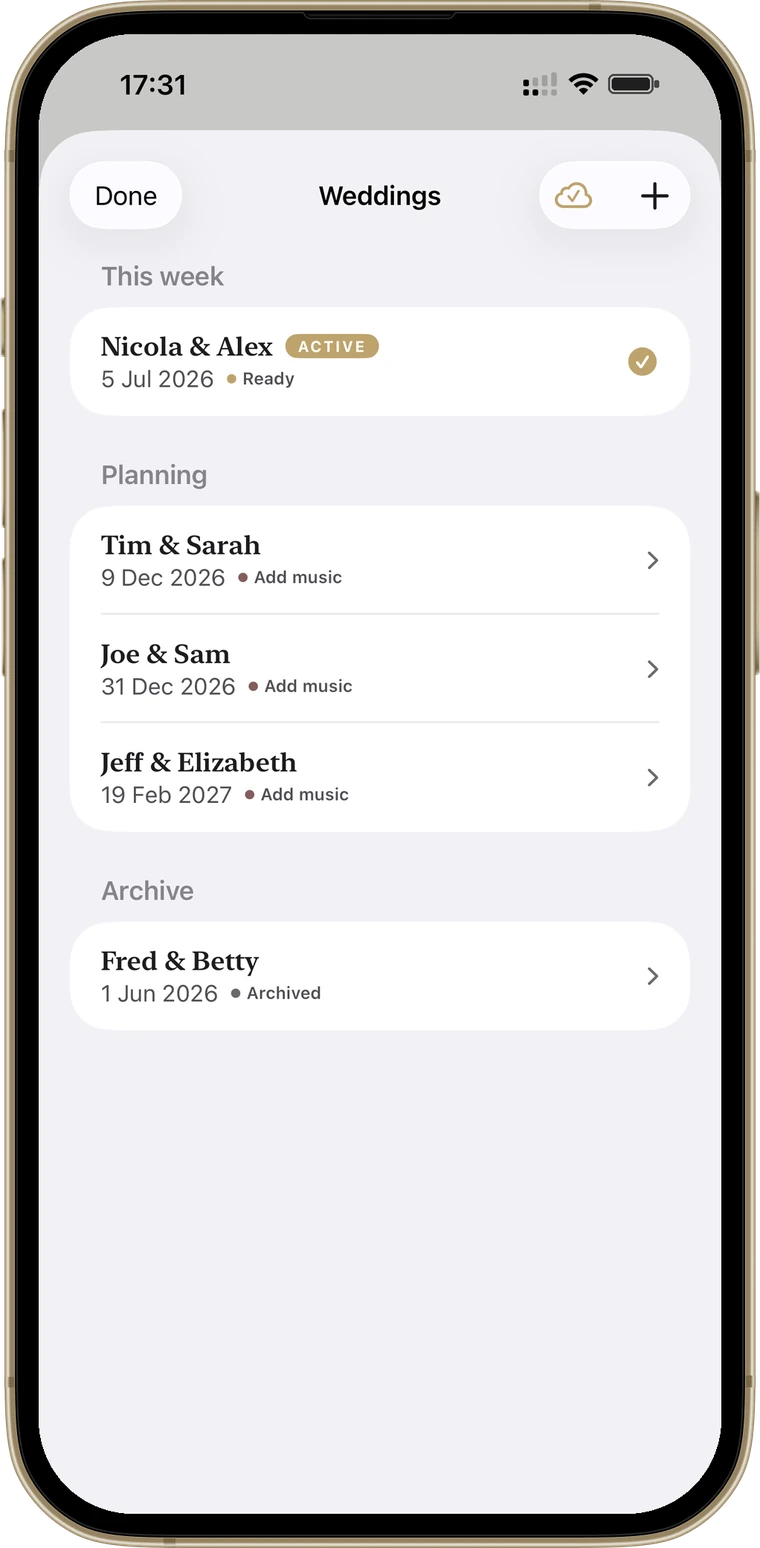
One workspace per couple
Every couple's ceremony, music and timings kept separate. Switch weddings in a tap, with nothing to wipe or rebuild.
Right couple, right day
When you go live, Wedding Player shows the couple and date and warns you if it isn't today's wedding.
Readiness reminders
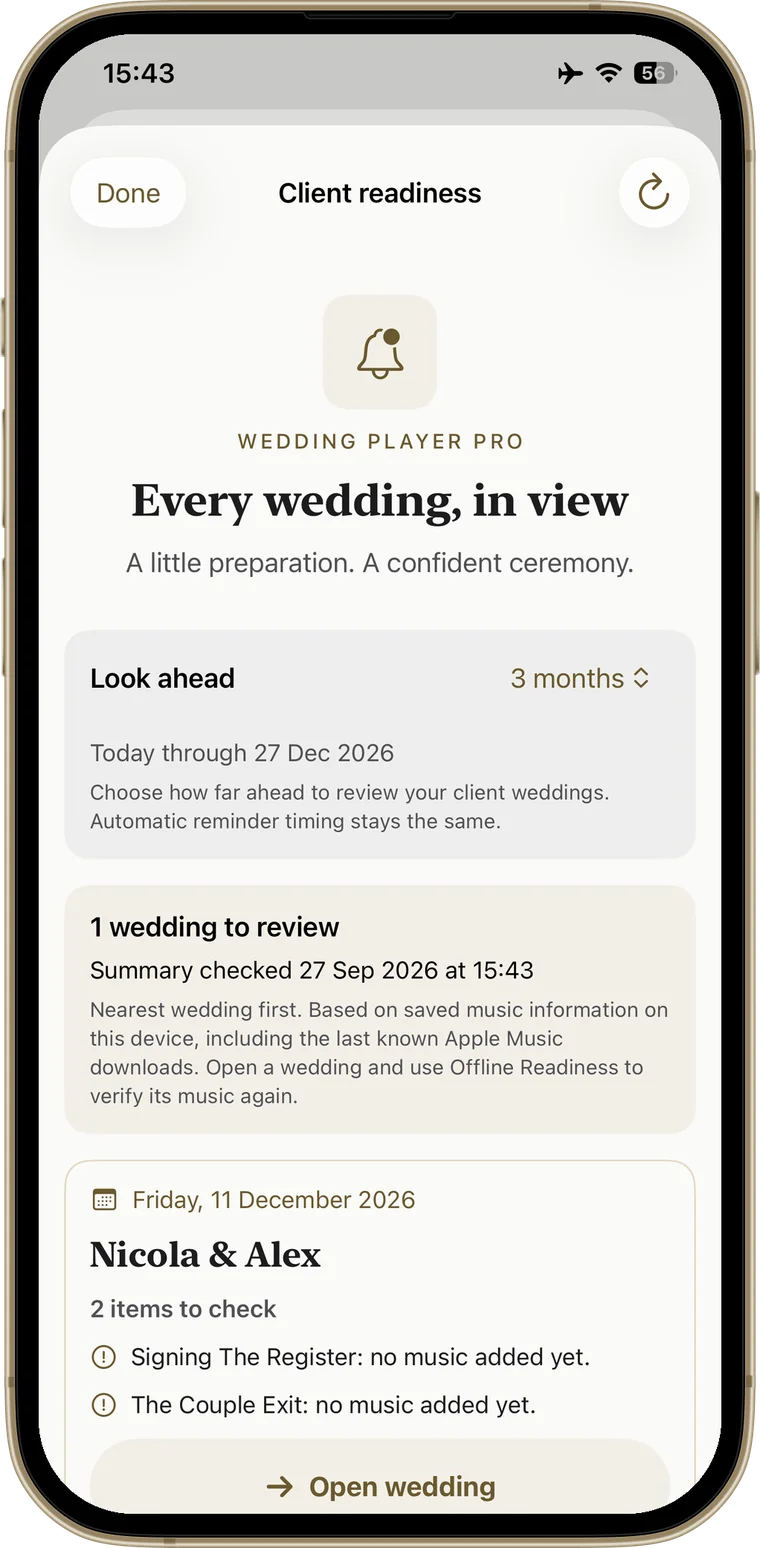
One summary of upcoming weddings with a confirmed date that need attention, soonest first: missing files, tracks still to download, empty moments. iPhone, iPad and Android.
Every cue planned, every moment in order
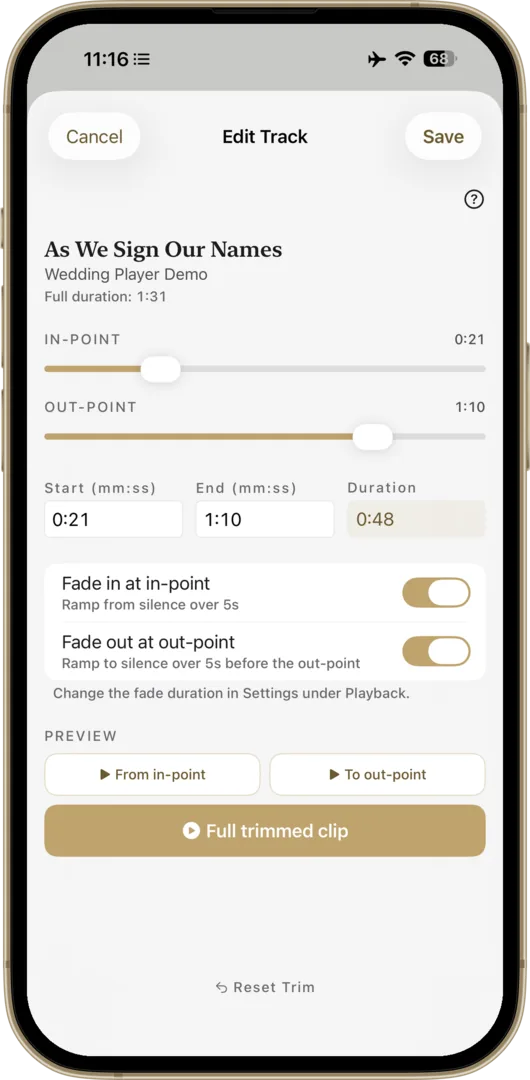
Trim every track to the second
Start the processional exactly on the swell, skip a long intro, end before the outro drags. Set it once on the main screen and what you hear is what plays.
Fade out on your cue
End the music when the moment is right, not when the track runs out. Fade Out takes it down smoothly over 2 to 15 seconds, your choice. Live Mode asks you to confirm first; switch that off in Settings for one-tap fades.
Every moment, in order
Prelude, processional, signing, recessional: each moment has its own songs and fades. Loop the prelude until the couple are ready, then fade it out and cue the next moment. Crossfade between tracks if you like on iPhone and iPad (Apple Music crossfades need iOS 18). On Android, one track fades out and then the next fades in.
Locked Live Mode
Tap Go Live and the running order locks: no editing, big controls, and the app asks before it restarts a moment, jumps to another one or leaves Live Mode. Calm enough to hand to the venue coordinator if you need to be somewhere else.
Checked before you go live
One screen to work through before you go live: your tracks, airplane mode, Do Not Disturb, the speaker and your volume. The Go Live button stays off until you've ticked each one, and it won't start while the phone is muted.
Offline once downloaded
Garden, beach, barn or chapel with no signal: once your tracks are downloaded nothing streams and nothing buffers, and the app checks they're on the device before you go live. Apple Music tracks need your subscription and a download.
Know which weddings aren't ready
One summary of every upcoming client wedding with a confirmed date that needs attention, soonest first: missing files, tracks that may still need downloading, empty moments. Each card shows the details and opens the wedding in a tap. Look ahead 3, 6, 12, 18 or 24 months, and reach your reminders straight from Manage Weddings.
Find out that a couple's processional was never downloaded weeks before the wedding, not at the venue.
Included in the Professional Licence: £5.99/month or £49.99/year, first month free. iPhone, iPad and Android. See how reminders work →
Ask an AI about it.
Get a quick, straight answer before you decide.
One Licence, Every Ceremony You Run
Monthly
per month
Annual
per year
Cancel any time. Pro includes a 1-month free trial of every Pro feature.
Free to try - Unlimited wedding ceremonies
- One workspace per couple, switch in a tap
- Trims and fades on every track
- Locked Live Mode
- Plays offline once your tracks are downloaded
- No per-wedding fees
Auto-renewable subscription via the App Store (iOS) or Google Play (Android). When the free month ends it renews at the price of the plan you chose, unless you cancel first. Store prices may vary by region.
Free to try DJ Questions
Does this replace my DJ software?
How do I connect it to my sound system?
Can I use my own music files?
Does it work with Spotify?
What if the ceremony venue has no signal?
I DJ a lot of weddings. Do I need the Professional Licence?
Can someone else press play if I'm busy?
Is it on Android?
Can I cancel?
Does this replace my DJ software?
How do I connect it to my sound system?
Can I use my own music files?
Does it work with Spotify?
What if the ceremony venue has no signal?
I DJ a lot of weddings. Do I need the Professional Licence?
Can someone else press play if I'm busy?
Is it on Android?
Can I cancel?
Make Your Next Ceremony the Easy Part
Download free, try the built-in demo and build your first wedding, then take the free month and run it at a real wedding. Cancel before it renews and it costs nothing.
Free to try Questions? Get in touch